
Fundeer
Track spending by voice, camera, or bank sync.
No account needed, and it works offline.
Overview
One balance across every account.
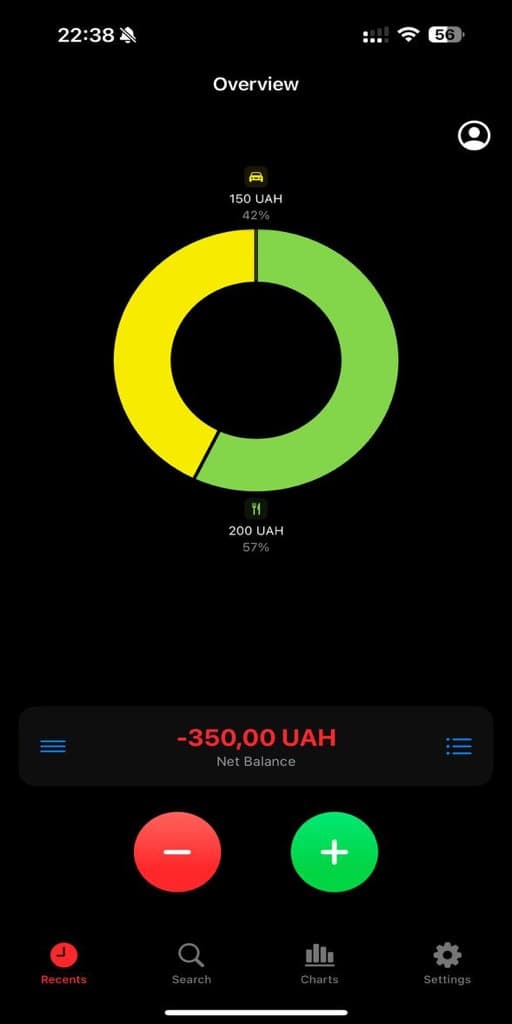
Overview
One balance across every account.
Simple
How it works
Download
Get Fundeer free from the App Store. No account required to start.
Log expenses
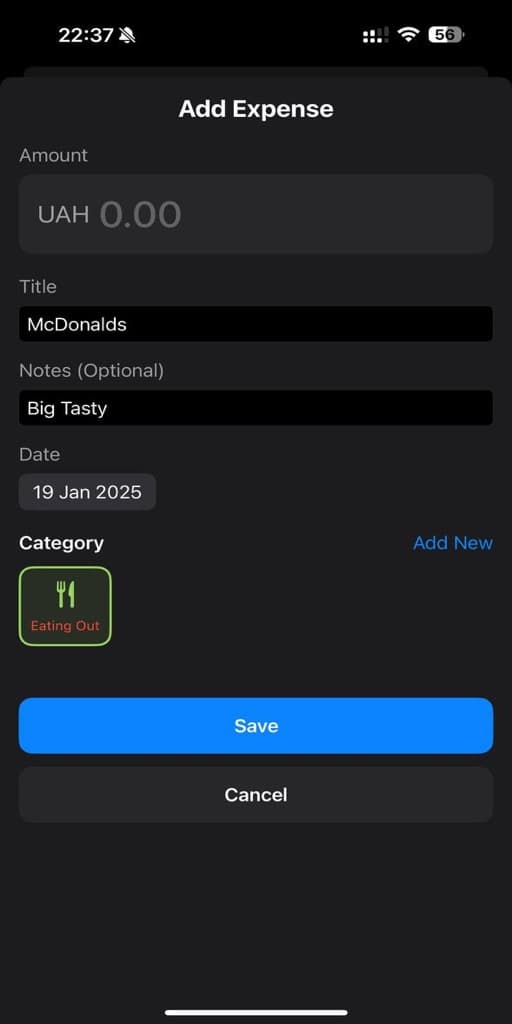
Voice, camera, or type. Connect Monobank to import automatically.
See insights
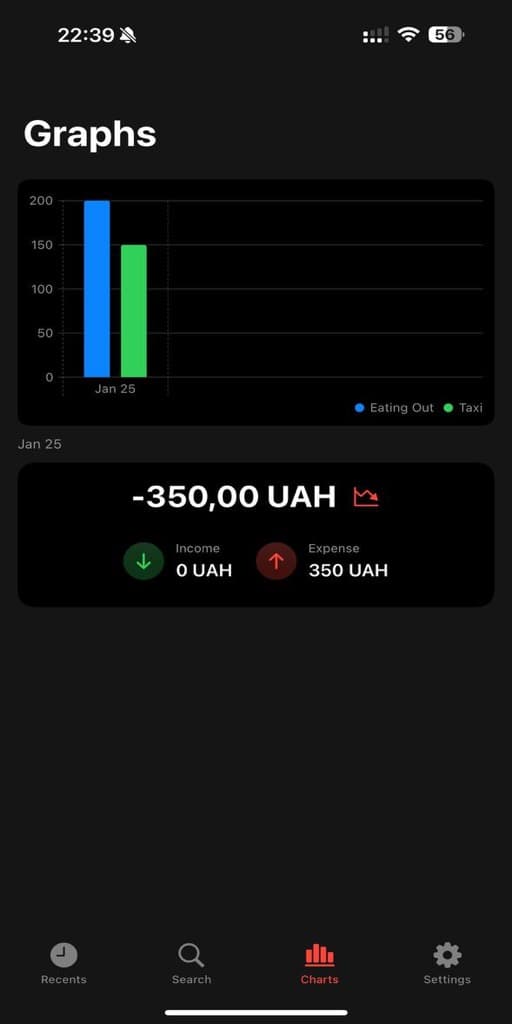
Charts, trends, and budgets update in real-time. Know where your money goes.
Features
Everything you need
Track expenses the way that works for you
Voice Input
Say "coffee, 45" and it is logged with a category
Receipt Scanner
Photograph a receipt and let it read the total
Bank Sync
Monobank auto-import, any other bank by statement
Trips & Family
Split a trip or share a family budget, then settle up
Analytics
Dashboards for spending, categories and net worth
Budgets & Goals
Set a budget for each category and follow your goals
Real scenarios
How people use Fundeer
The Traveler
Maria and 4 friends went to Barcelona. Hotels, tapas, taxis — everyone paid different things.
One trip in Fundeer. Everyone logs expenses. End of trip: one screen shows who owes whom. Settle with one tap.
The Couple
Alex and Sam share rent and groceries, but keep personal spending separate.
Family budget for shared costs. Personal budgets for everything else. Both see the full picture.
The Busy One
Viktor grabs coffee, lunch, and snacks. Receipts pile up. No time to log.
Pay with Apple Pay and it logs itself. Or say "Coffee, 65" — done. Or snap the receipt.
Comparison
Why Fundeer?
We built what we wanted to use. No paywalls. No tricks.
Updates
What's new
14 releases since February 2025, and still shipping.
Categories you can look after, in your own budgets and in the ones you share
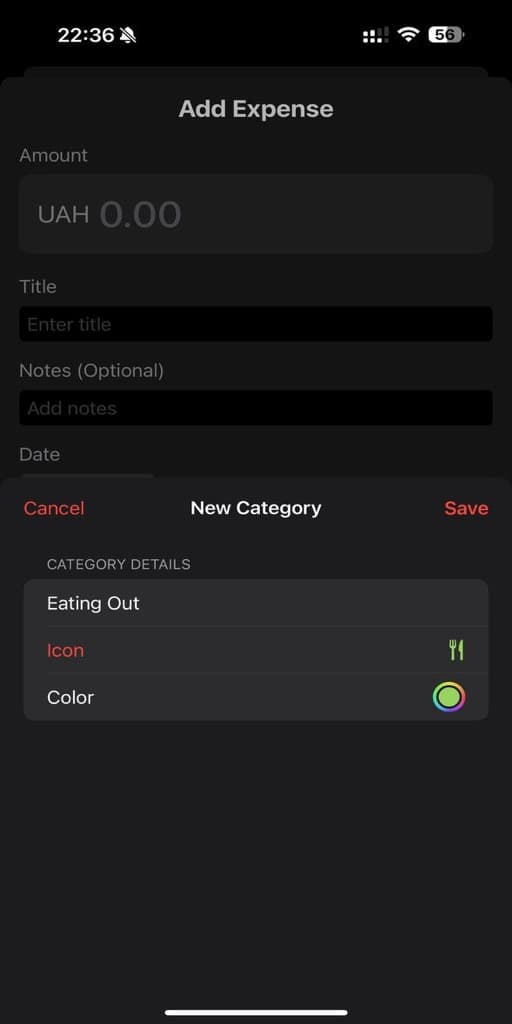
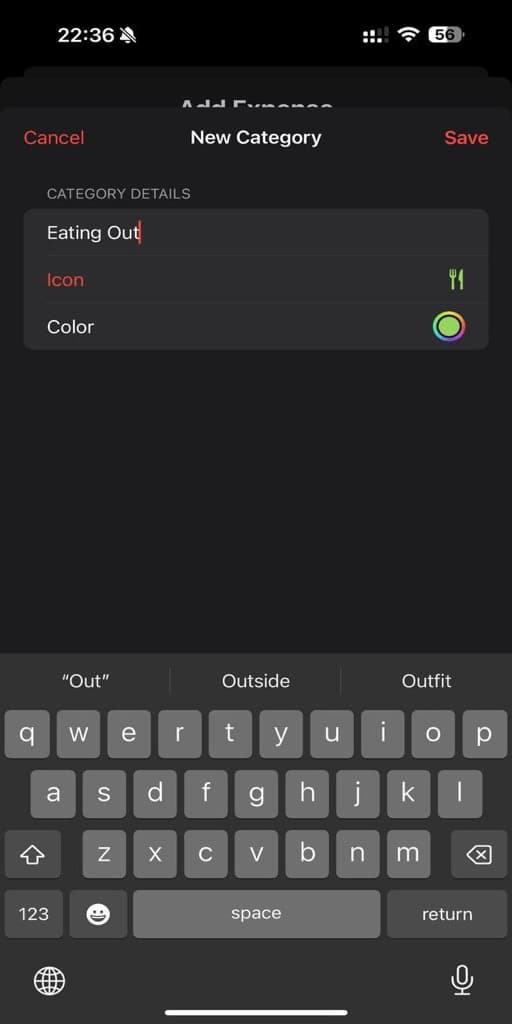
- Manage the categories of a trip or a family group. Rename one, change its icon and colour, put them in the order you use them, or archive one you have finished with. The group's owner or an admin makes those changes, because they show on everyone's expenses.
- Archive a category instead of deleting it. It leaves every picker and keeps the transactions already filed under it, and it comes back whenever you want it.
- Delete a category and say where its contents should go. Fundeer counts the transactions, budgets and recurring payments it holds and moves them to the category you choose.
- Family categories work without a connection. They are stored on your device like everything else, so the picker is there when you are offline and a new one is kept until it can sync.
- Change your email address from Edit Profile. Fundeer sends a confirmation link to the new address and keeps your current one until you open it, and it works whether you signed up with an email or with Google.
- Edit a budget, a savings goal or a recurring payment whenever the amount changes.
- Arrange your analytics dashboard the way you read it. Drag any card into the position you want, choose which cards appear from a single control, and follow an activity heatmap of the days you record.
- Choose what happens to each receipt photo. Fundeer asks before it backs the image up, and the amounts are saved either way.
- Restore an archived family group, or keep an account you had scheduled for deletion.
- Pick an avatar that means something. Fundeer reads your last three months and offers the persona that fits, the Globetrotter when travel leads your spending or the Nest Builder when home and bills do, and tells you which figure it went on. Take it or choose any of the eighteen yourself.
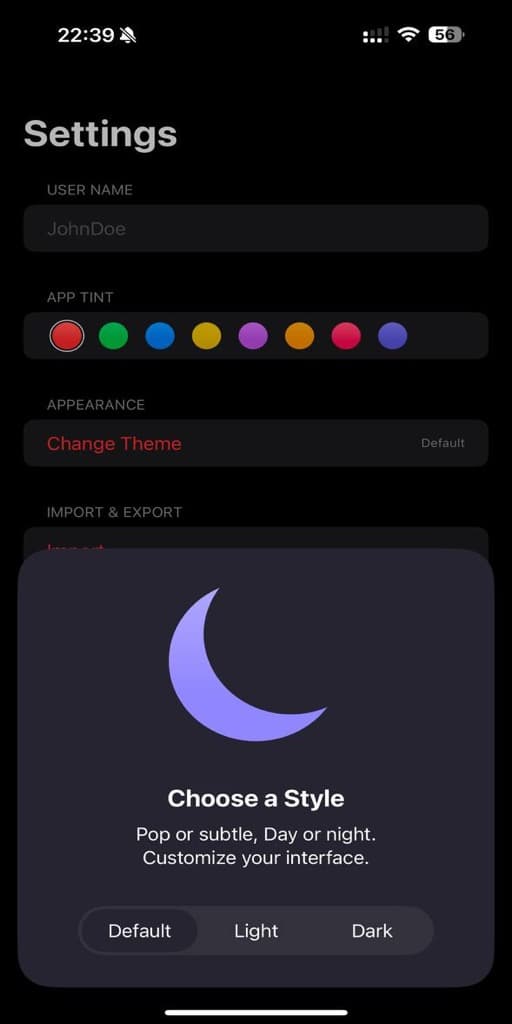
- Put a season behind your home screen. A mountain range with snow above the treeline, a forest, rolling hills or a bare horizon, with maple and oak leaves turning over as they fall in autumn and cherry blossom in spring. It stays off until you switch it on, and it steps aside for Reduce Motion and Low Power Mode.
- Work through the Apple Pay setup as one checklist. Nine steps numbered straight through, each one ticked off as you go, and your place kept while you are away in the Shortcuts app.
- Transfers and cash withdrawals say plainly that they are kept out of your spending totals, so a category that moves money is not mistaken for one that spends it.
- Ukrainian across the app, including the analytics dashboard and the Apple Pay guide.
- Smoother mind maps, clearer spending charts and steadier sync across your devices.
Fundeer in Ukrainian, and a statement importer for banks it has never seen
- Fundeer now speaks Ukrainian, from the screens and permission prompts to the widgets on your home screen. The app follows the language your phone is set to.
- Import a statement from a bank Fundeer has never seen. You can open OFX, QFX and QIF files, and map the columns of any bank's CSV yourself, so a statement becomes transactions with the amount, date and category you expect.
- Notifications name what arrived. A card payment, a shared expense or a settlement says what it was in the notification itself, and opens exactly that when you tap it.
- Activity gathers what changed since you last looked and names each item, so the count on a tab is something you can read at a glance.
- Shared trips and family budgets stay consistent across every device, with one figure for every balance, and every total, settlement and export quoted in the trip's own currency.
- A shared expense records who paid and how the bill was divided, and archived trips and budgets stay where you expect to find them.
- Layout and animation polish throughout.
One place to see everything that happened, and notifications that take you straight there
- A new Activity screen gathers what happened across your trips and family budgets into one timeline, including budget warnings, settlements, invitations and role changes
- Tap a notification and it opens exactly what it was about, whether that is the expense, the budget, the settlement or the trip
- Card transaction alerts arrive as time-sensitive notifications, so a payment reaches you while it still matters
- Shared trips and budgets update live, and a trip you have been invited to appears on its own
- Every shared expense names who paid, shows the receipt someone else attached and is quoted in the trip's own currency
- Monobank sync fetches a fresh statement whenever you ask for one, names each card transaction by merchant and tells you if the bank stops sending alerts
- Settle up now works for family groups as well as trips, and tells you clearly when a settlement is declined
- Icons are searchable by what they are, so typing health or gym finds the right one, and every category icon is drawn in one outlined style
- Sync warnings appear only when something genuinely needs your attention
- Receipts you attach are held safely until the expense they belong to is saved to the server
- Layout polish throughout: the spending chart scales to your device and the month and year selectors are aligned
Trip Mode, per-trip reports, and analytics that count the right things
- Trip Mode — flip one switch when your trip starts and everything you spend attaches to it automatically, whether you typed it, scanned it, said it, or imported it from your bank
- Every trip now has its own report: total spent, daily spending, and a category breakdown for that trip alone
- The trip card, the trip header, and the report now show the same total
- Fixed trips mixing currencies, double-counting expenses, and getting stuck in trip mode
- Editing or deleting an expense now updates it in both your personal history and the trip it belongs to
- Transfers between your own accounts and ATM withdrawals no longer count as spending, so trends, sparklines, calendars, and totals are all cleaner
- Tap a slice of the pie chart to highlight it, tap again to open that category’s transactions
- Month-over-month change stays hidden until the previous month is actually complete, instead of comparing against half a month
- Fixed duplicate and triplicated default categories, and sync no longer overwrites your real categories with placeholders
- Foreign-currency amounts are converted before they’re stored, so a euro expense no longer lands in your totals as if it were a dollar
- A scanned receipt’s photo stays attached to the trip expense you created from it, and scanning the same receipt twice no longer creates two entries
- Shared trip and family balances update in real time — the moment anyone adds, edits, or settles an expense, everyone sees the new split
- The app opens faster, tabs switch more smoothly, and trips and family groups reopen instantly instead of reloading from scratch
- Monobank imports no longer create duplicate transactions, even when the bank sends the same update twice
- Home quick-add buttons stay where you put them, and the add, scan, voice, and history buttons open with a proper animation
- New Home Screen widgets for family budgets and savings goals, plus Lock Screen widgets and Control Center shortcuts
- Reworked Settings so things are where you’d expect them, with achievements driven by what you actually do
- The analytics and crash-reporting toggle now genuinely controls what’s collected
- If your session expires you get one clear banner instead of silent failures
- Consistent typography and dark mode across the app, with full support for larger text
Widgets & Notifications
- 6 home screen widgets — balance, spending, categories, trips, quick add
- Push notifications for trips, family groups, and settlements
- Notification preferences — per-category controls and quiet hours
- Cleaner notification formatting with currency symbols
Questions
FAQ
Yes. All features are free. No subscriptions, no paywalls. We built this for ourselves first.
Your data lives on your device. If you create an account, it syncs to our secure servers in the EU. You can export or delete everything anytime.
Monobank connects directly, through its official read-only API — we never see your password and cannot move money. Every other bank works by importing a statement: OFX, QFX, QIF, or CSV with a column-mapping step. So any bank that can export a statement is supported today.
Yes. Add transactions offline, and they sync when you're back online. The app is local-first.
Yes. Create a family group with shared budgets and limits. Each person has their own role and access level.
Create a trip, add friends, log shared expenses. The app calculates who owes what. Settle up with one tap.
It tracks your path to Financial Independence and Early Retirement. Set your target, and see how long until you're free.
Yes. Lock the app with Face ID, Touch ID, or your device passcode. Sync is encrypted and bank access is read-only with no password stored. Your data is yours.
Live. When someone in your trip or family group adds, edits, or settles an expense, your screen updates instantly via real-time sync — no pull to refresh needed.
No. We dedupe by your bank's transaction id and only deliver a single push per real purchase. Repeat purchases at the same merchant (e.g. paying twice at the same coffee shop) still get their own notification.
Contact
Get in touch
Questions, feedback, or partnership inquiries? We'd love to hear from you.
Or email us directly at email.andie.one@gmail.com
Get Fundeer
Free. Works offline. No account needed.